Overview
ixtable stores a small business app as one portable project file.
You work in two modes. Data view is where you inspect tables, follow relationships, and edit records. Design view is where you assemble the interface that people use to work with that data.
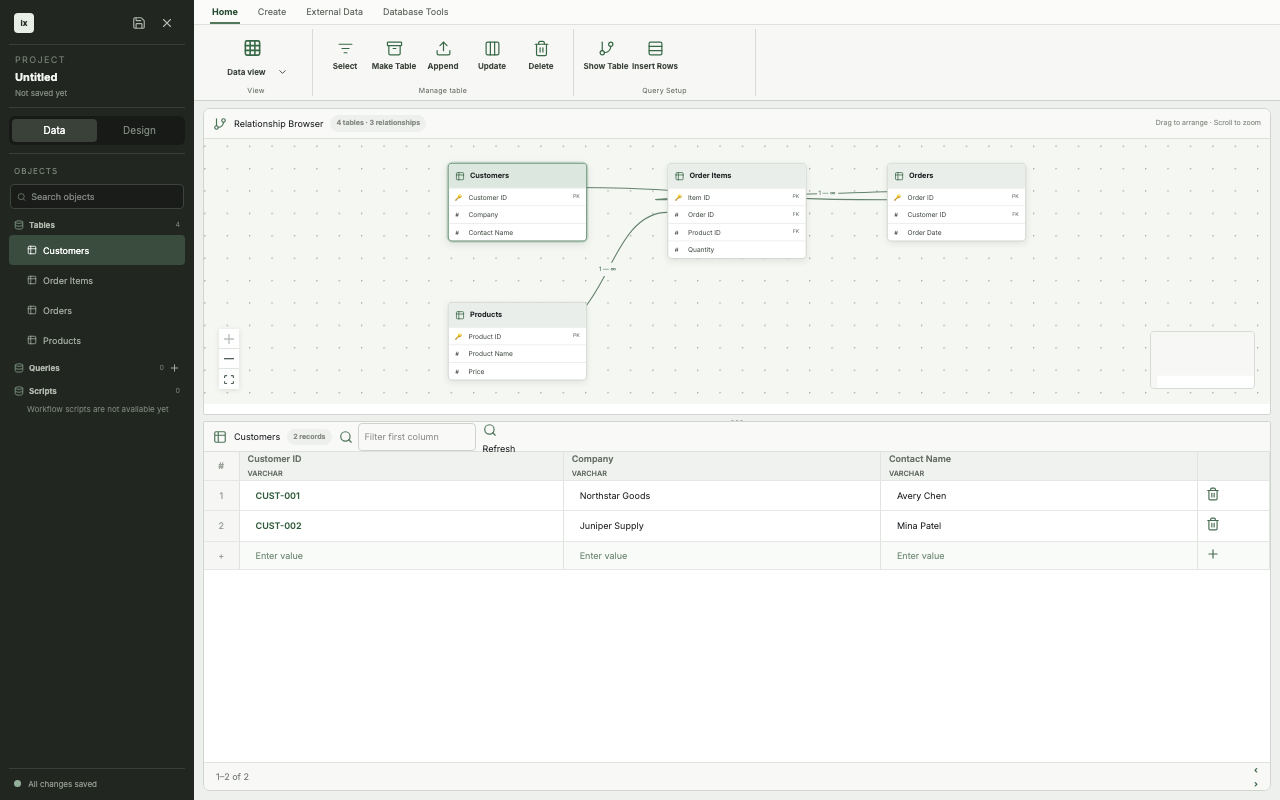
This screenshot is generated from the real ixtable app by the repository's screenshot test.
The project file
An ixtable project keeps the app definition and its data together. The project browser lists tables, saved queries, and SQL scripts on the left. Save and close actions apply to the whole project.
The current app opens a new, untitled project in memory. Saving that project requires a destination. The app reports SAVE_AS_REQUIRED until a Save As flow supplies one.
:::note TODO
Document the project file format, Save As flow, and compatibility rules when those parts are implemented.
:::
The two views
| View | Use it for | Current state |
|---|---|---|
| Data view | Browse tables and relationships, then edit records in a grid | Available |
| Design view | Build forms and preview an app interface | Work in progress |
Testing and deployment will complete the workflow from project file to running app. Both areas are still being designed.
Generated screenshots
The images in these docs come from scripts/screenshot/specs/app-shell.spec.tsx. The test renders src/App.tsx, performs user actions, and captures the resulting app state with Playwright.
Regenerate the documentation images from the repository root:
npm run screenshot
The command tests the captured states before it copies selected images beside the documentation in web/docs/assets. Docusaurus fingerprints these relative assets when it builds the site.