Design view
Design view is a work-in-progress interface for building the app that sits on top of project data.
The current prototype has a component library, a form canvas, and a properties panel. It also previews the inventory app without leaving the project.
:::warning Work in progress
This page is a documentation stub. The design model and editing behavior can change while the feature is under development.
:::
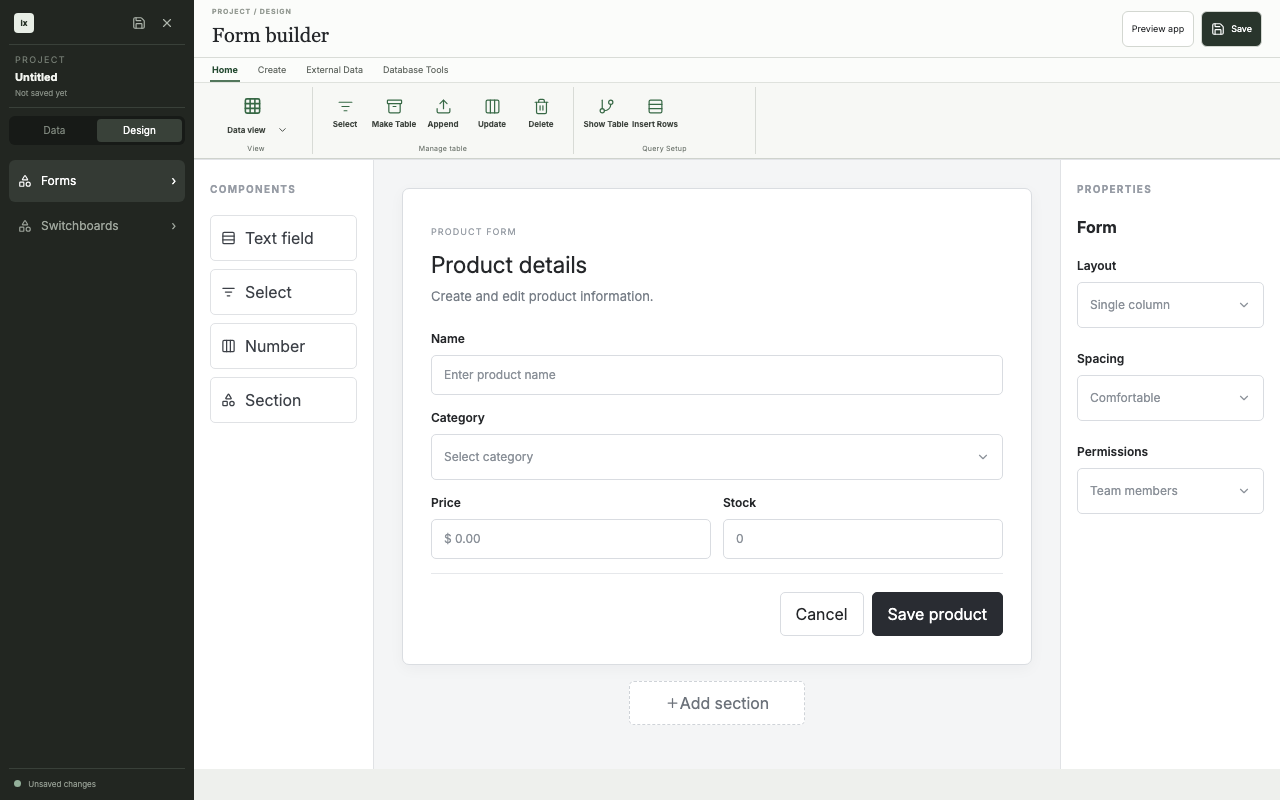
Form builder
The form builder arranges controls on a shared grid and exposes settings for the selected control. Layout is a track-based grid (fractional, fixed, and content-sized columns, spans, gaps, named regions, breakpoints). The renderer maps that model to CSS Grid. It does not store CSS strings as the application schema.
:::note TODO
Document component placement, data binding, properties, layout rules, undo, and project persistence after the behavior is implemented.
:::
App preview
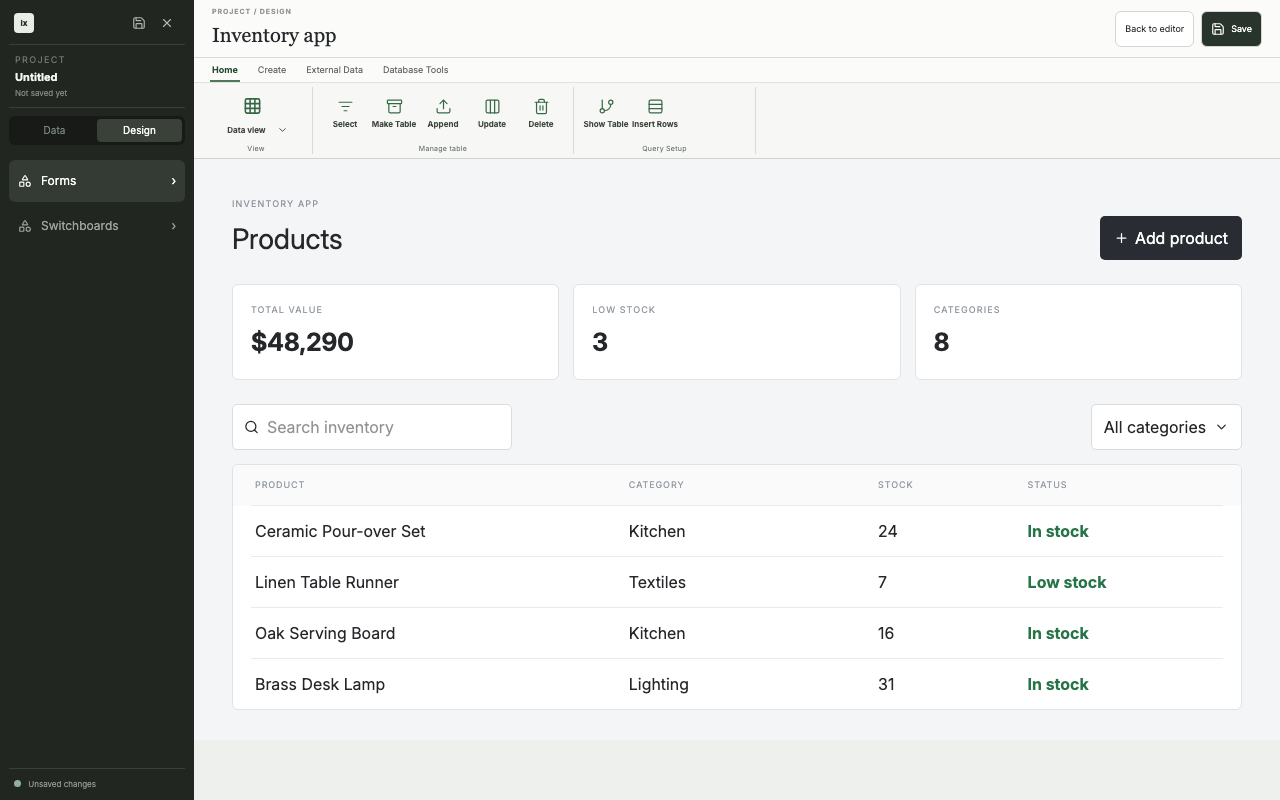
Preview mode renders the current design as an inventory app with metrics, search, filters, and product records. It gives the design a runtime-shaped surface for review.
:::note TODO
Connect preview state to saved form definitions and project data. Document the boundary between preview and a deployed app.
:::